03 Load the data — two ways
The same 26.5M ticks loaded twice: ClickPipes, the managed pipeline you would use in production, then the s3() one-liner — and when to reach for which.
The data lives in a public S3 bucket, so no keys or credentials are needed — you just point at the URL. The transfer runs server-side from S3 to ClickHouse, so it does not stream 26.5 million rows through your laptop or depend on the venue Wi-Fi.
You'll load the same 26.5M ticks two different ways so you can see both. Method 1 is
ClickPipes, the managed, click-through pipeline you'd use in production. Method 2 is a single
SQL line — the fastest way to get data in during a demo. Do them in order; a TRUNCATE in
between keeps the row count clean.
Method 1 — ClickPipes, the managed, production way
ClickPipes is a fully managed ingestion service: point it at object storage or a stream and it keeps loading, with no connector to build. Here is the whole flow.
- In the left menu, click Data sources, then the Create ClickPipe button.
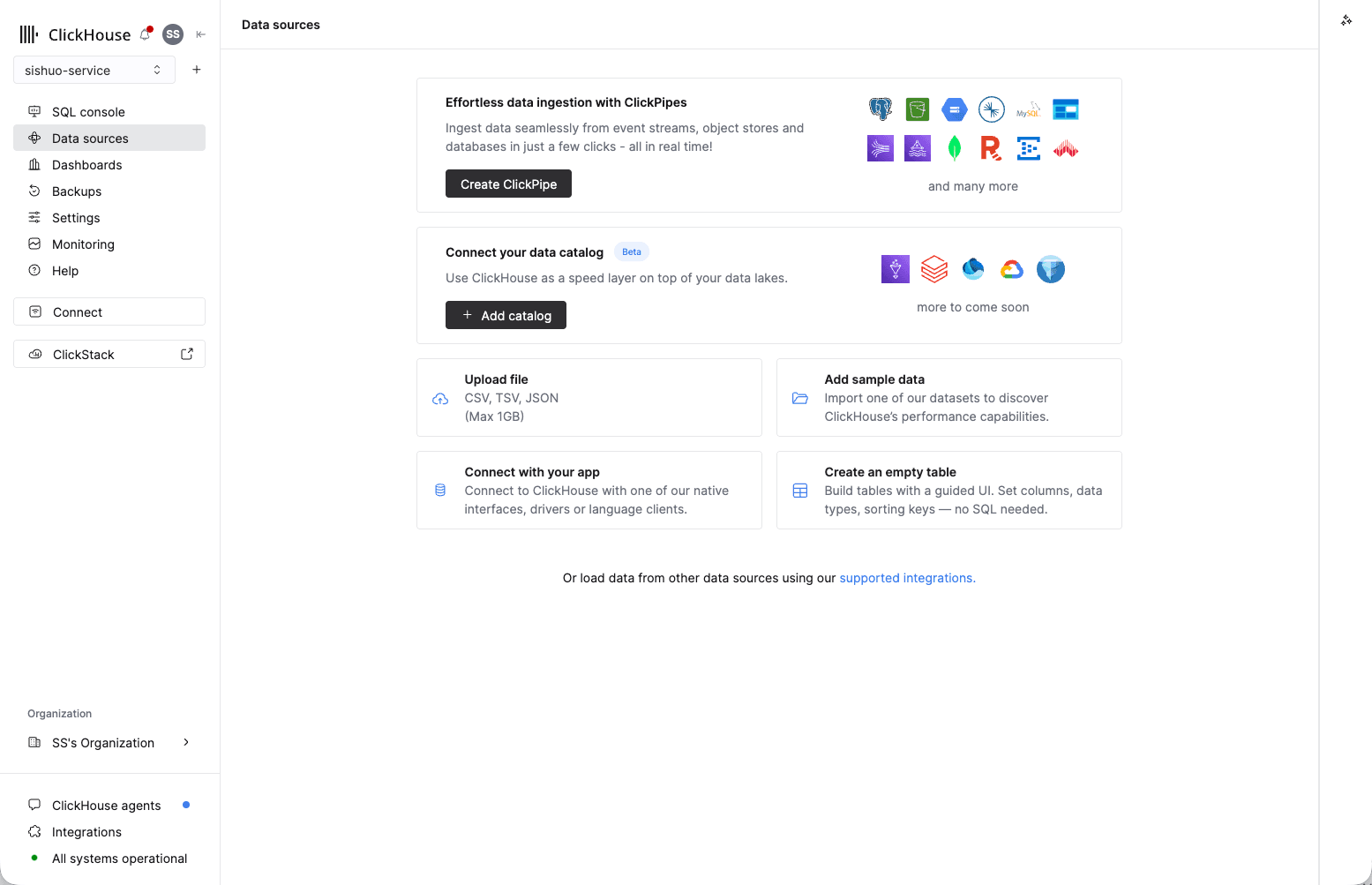
Data sources is also where "Upload file" and "Add sample data" live.
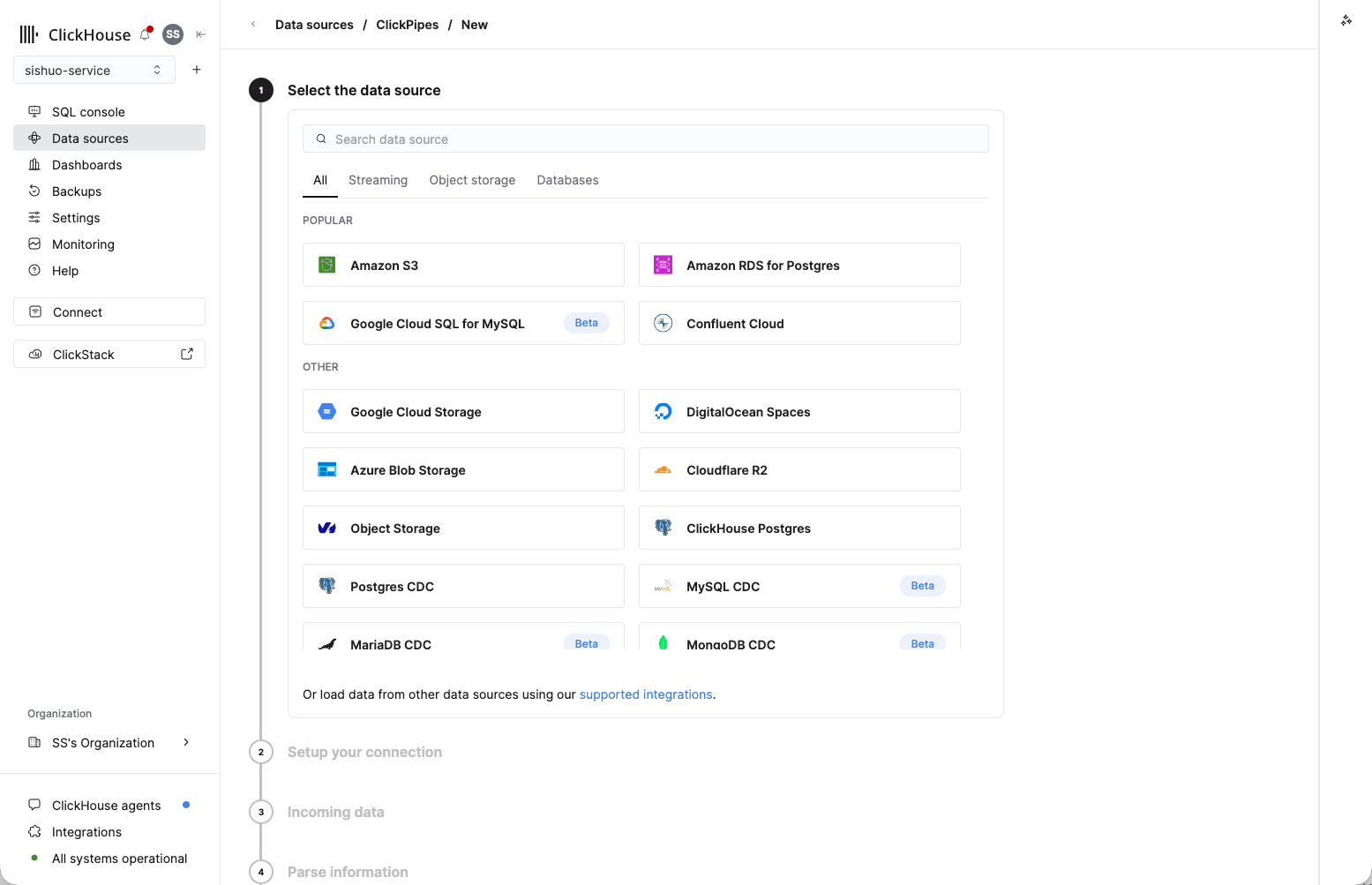
- Under Select the data source, choose Amazon S3 (top of the Popular list).
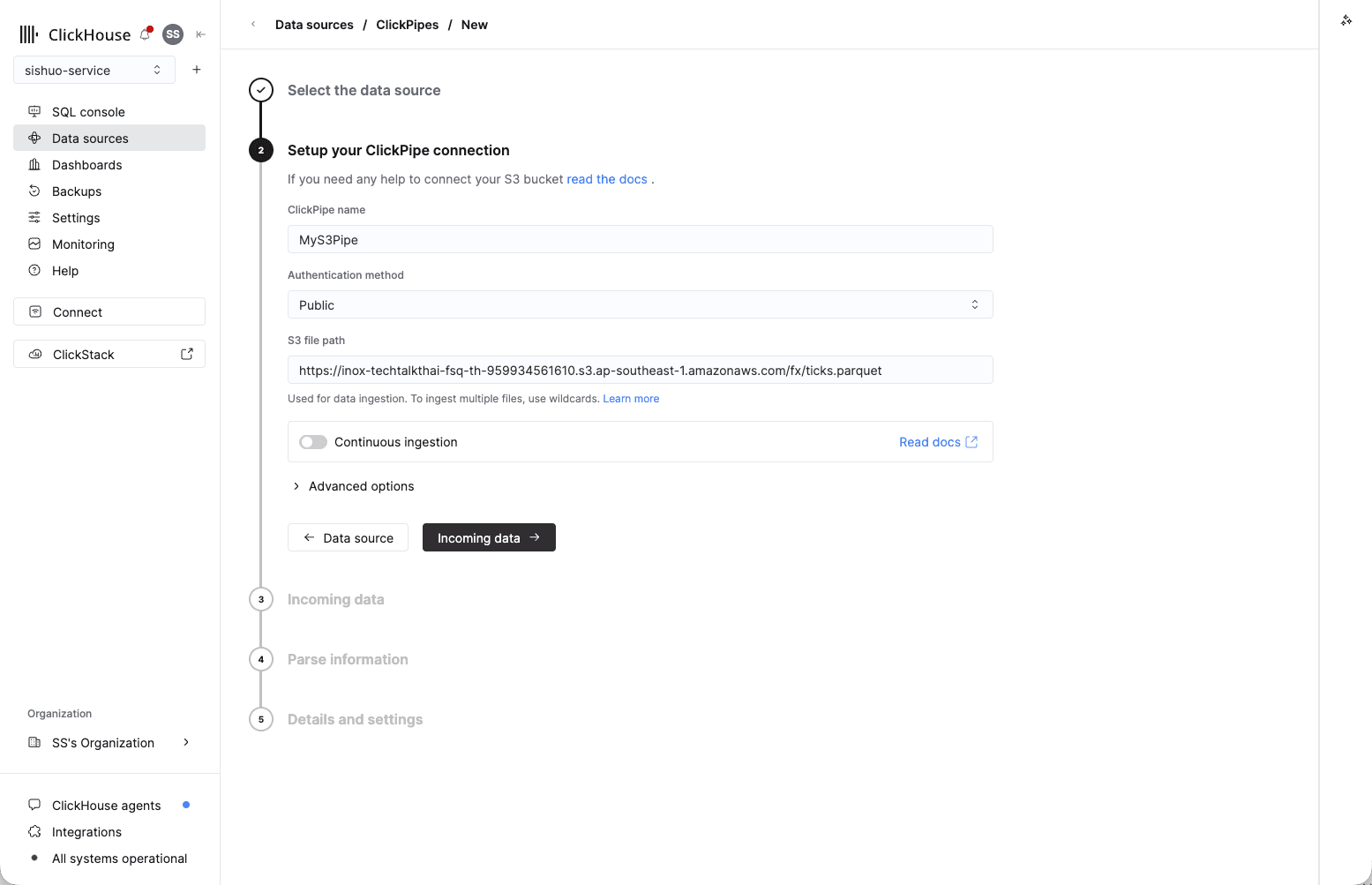
- On Setup your ClickPipe connection, give it any name, set Authentication method → Public (the bucket is public), and paste this into S3 file path:
https://partner-workshop.s3.ap-southeast-1.amazonaws.com/fx/ticks.parquetLeave Continuous ingestion off — this is a one-time file — then click Incoming data →.
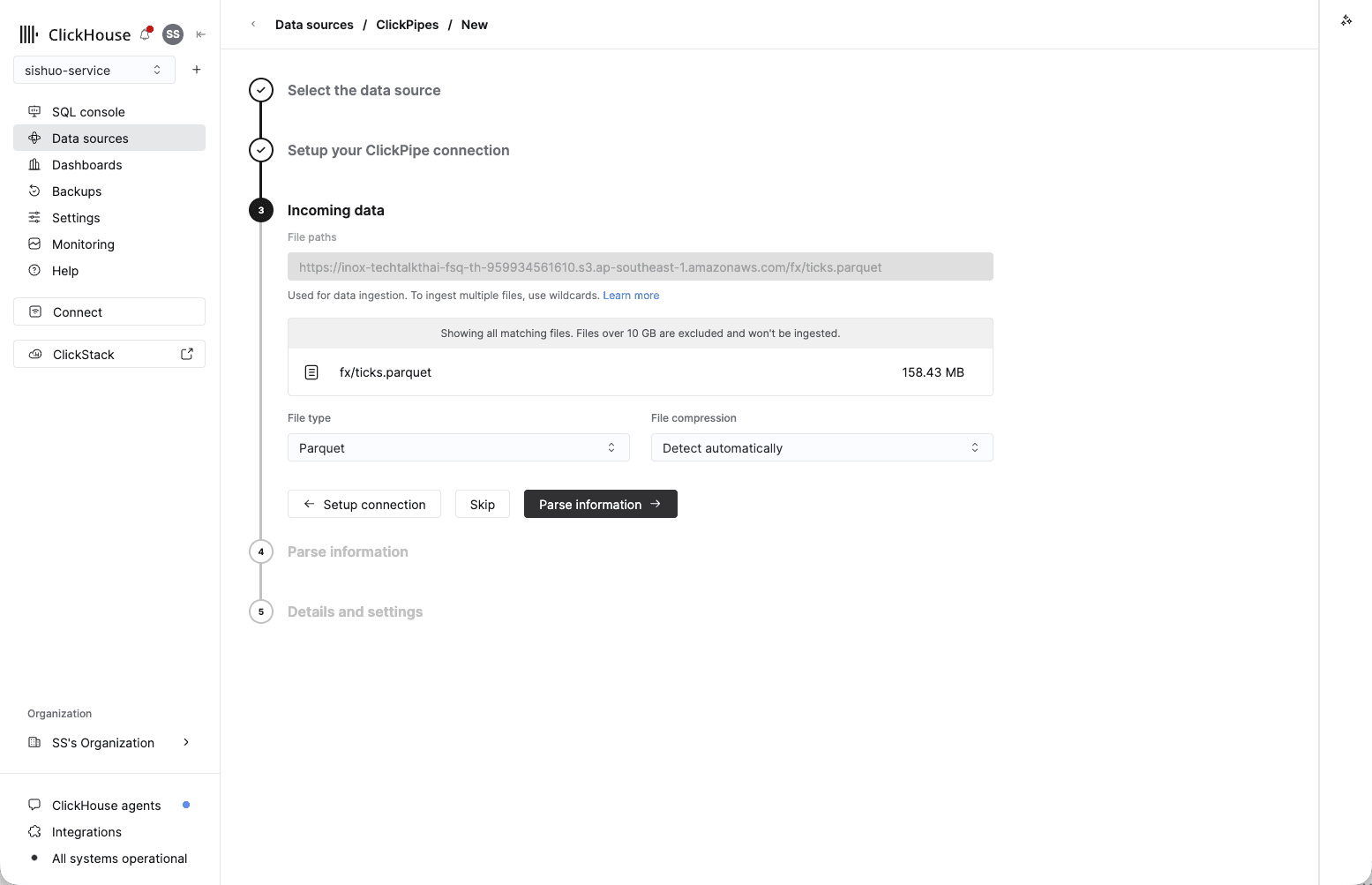
- On Incoming data, ClickHouse previews the matching file — you'll see
fx/ticks.parquetat 158.43 MB. Confirm File type → Parquet, leave compression on Detect automatically, then click Parse information →.
- On Parse information, ClickHouse previews a sample row and detects the columns. Under
Upload data to, choose Existing table, pick the Database that holds your table
(usually
default), and set Table →forex. Check that the source fields (datetime,bid,ask,base,quote) line up with the matching columns — they should map automatically. Leave the extra_path/_file/_sizefields unmapped. Then click Details and settings →.
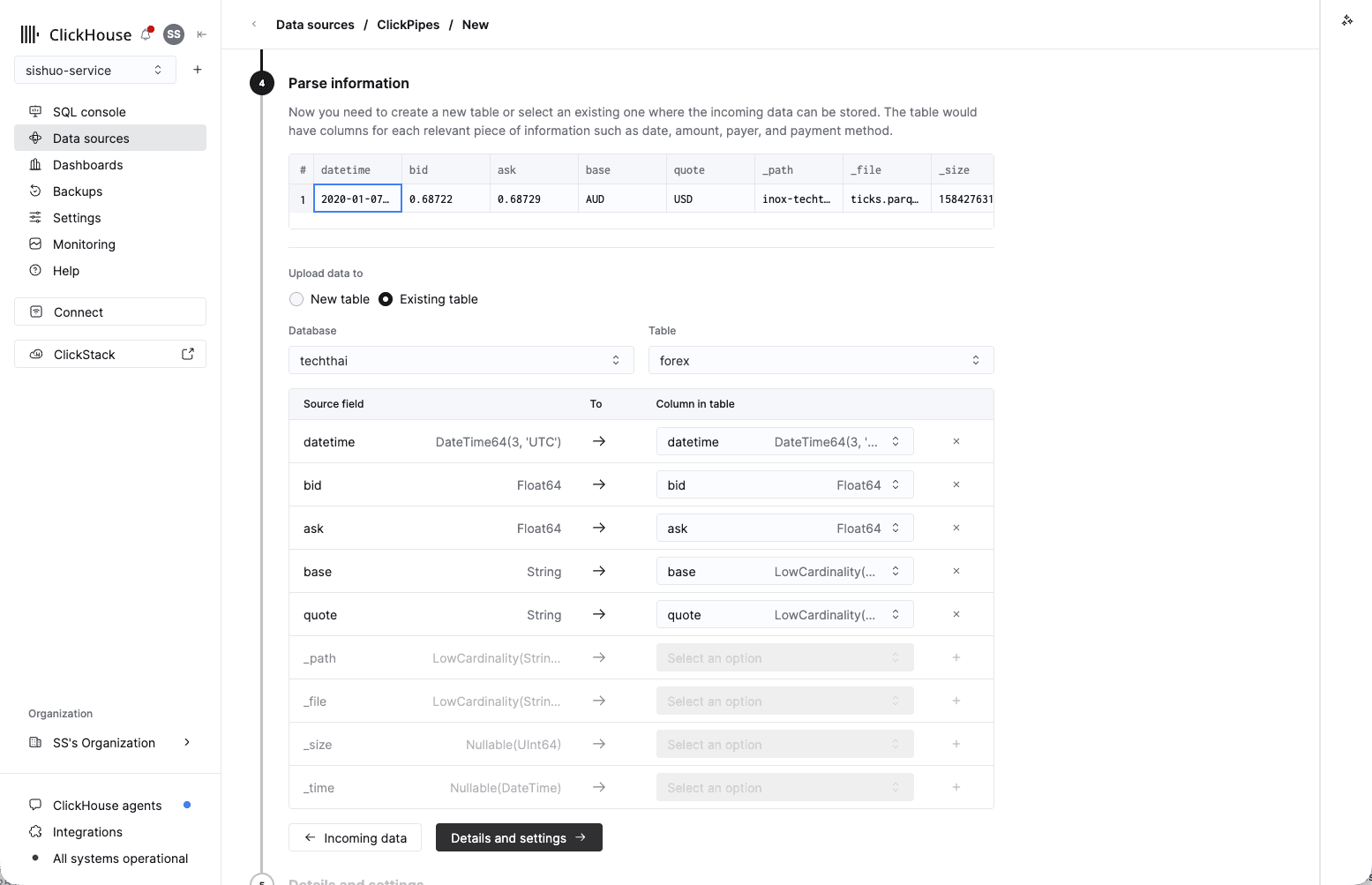
The screenshot shows the presenter's techthai database — use whichever one holds your table.
- On Details and settings, leave the default Permissions as they are (ClickPipes creates a dedicated writer user for you), then click Create ClickPipe.
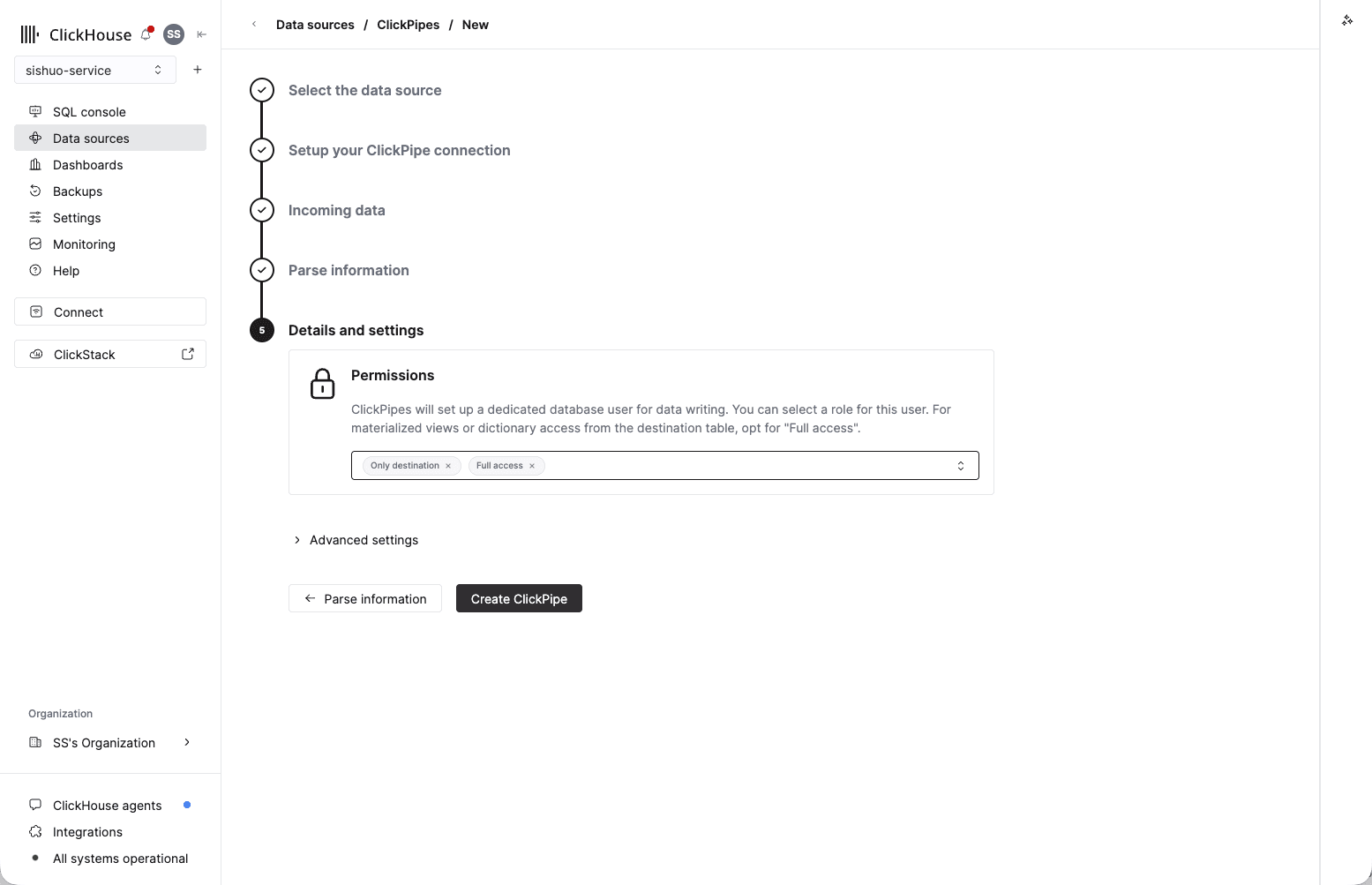
No Spark job, no custom loader.
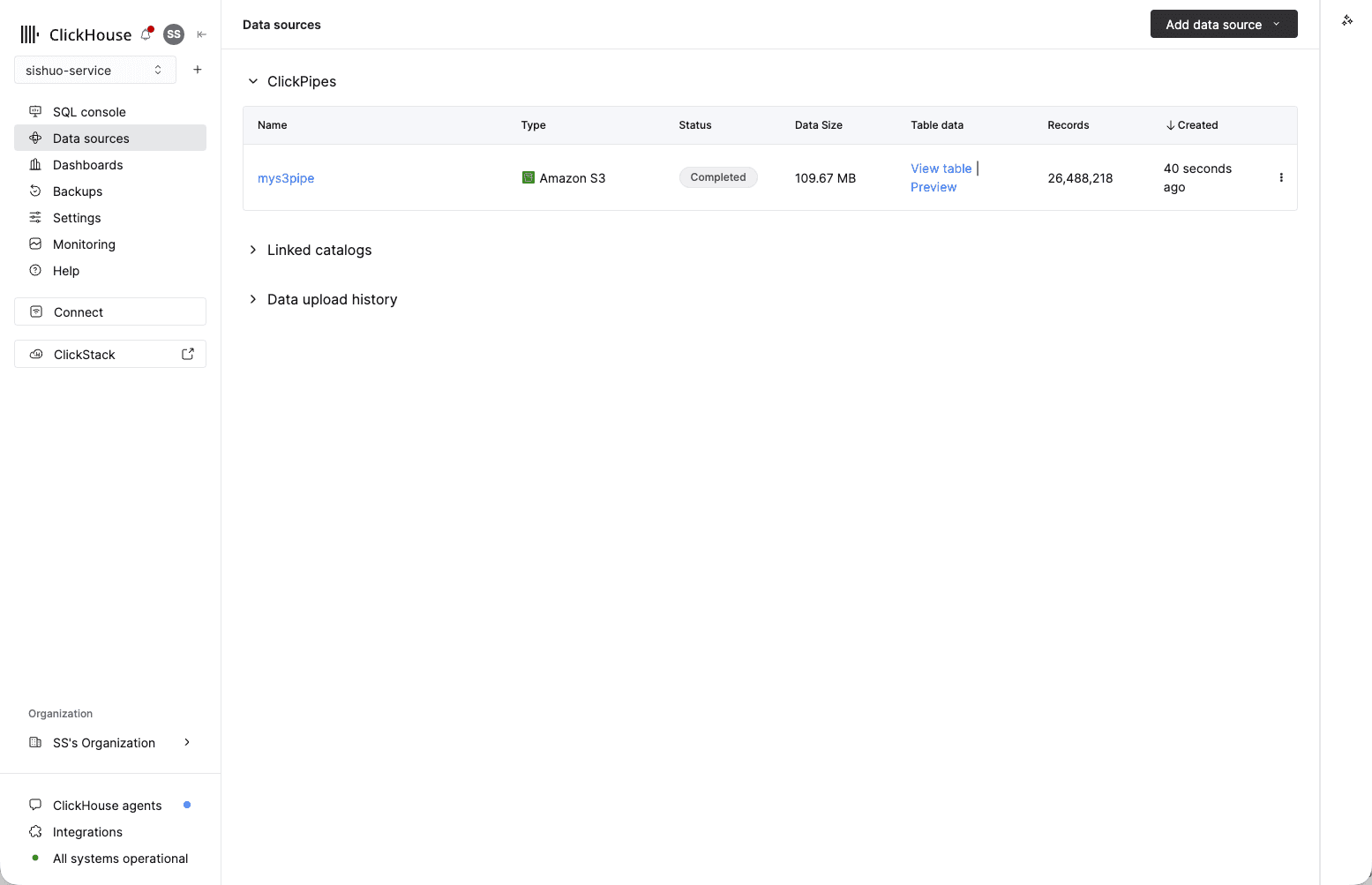
- You're taken back to Data sources, where your ClickPipe appears. In a few seconds its Status turns to Completed and Records shows 26,488,218 — all the ticks loaded from object storage.
Check what loaded. Run this in the SQL Console:
-- expect 26,488,218 ticks across 12 pairs
SELECT count() AS ticks, uniqExact(concat(base,'/',quote)) AS pairs FROM forex;
You should see
ticks = 26,488,218 and pairs = 12. That's ~26.5 million rows loaded from object storage in seconds.
Method 2 — the s3() one-liner, fastest in a demo
Now load the exact same data with a single SQL statement, straight from the public file. First empty the table so the count doesn't double, then insert:
-- clear the rows ClickPipes just loaded so we don't double up
TRUNCATE TABLE forex;

-- load all ~26.5M ticks from the public S3 file in one line (server-side)
INSERT INTO forex
SELECT * FROM s3('https://partner-workshop.s3.ap-southeast-1.amazonaws.com/fx/ticks.parquet', NOSIGN, 'Parquet');

-- and check again (expect 26,488,218)
SELECT count() AS ticks, uniqExact(concat(base,'/',quote)) AS pairs FROM forex;
NOSIGN means "no credentials" — that's all it takes to read a public bucket. SELECT * just
works because the table's column order matches the file.
ClickPipes vs the s3() function — when to use which
Same 26,488,218 rows, loaded two ways. The difference is what happens after the first load — whether you want a managed, ongoing pipeline or a quick one-shot read.
| ClickPipes | s3() table function | |
|---|---|---|
| What it is | A fully managed ingestion service you set up in the console | A SQL function you call inline in a query |
| Best for | Production and ongoing loads you want to run and forget | Quick one-off loads, ad-hoc exploration, scripts |
| Ongoing / new files | Can keep watching a bucket or stream and load new data continuously | One-shot — reads only what's there each time you run it |
| Setup | Guided UI, no SQL needed | A single INSERT … SELECT statement |
| Monitoring and retries | Built in — status, error handling and retries in the console | None — you re-run it yourself if it fails |
| Sources | Many: S3, GCS, Azure, Kafka and other streams, Postgres/MySQL CDC, and more | Object storage only (siblings: gcs(), azureBlobStorage(), url()) |
Rule of thumb: reach for ClickPipes when data keeps arriving and you want it managed;
reach for s3() when you just want to pull a file in right now. Today you used the
one-liner to get querying fast — now let's query it.
02 Create the table
One CREATE TABLE for 26.5M forex ticks, and why base and quote lead the sort key — the decision you will feel in module 04.
04 Run the market queries
Seven queries against 26.5M ticks, each replacing a page of SQL: approximate counts, topK, OHLC candlesticks, percentiles, -If combinators, argMax, and the sort key finale.