05 Ask the AI to fix a query
Hand the full-scan query from module 04 to the ClickHouse Assistant and watch it diagnose the missing sort key, then offer a skip index and a projection with ready-to-run SQL.
ClickHouse Cloud has a built-in co-pilot, the ClickHouse Assistant, right in the SQL Console. It knows ClickHouse functions and best practices — not generic SQL.
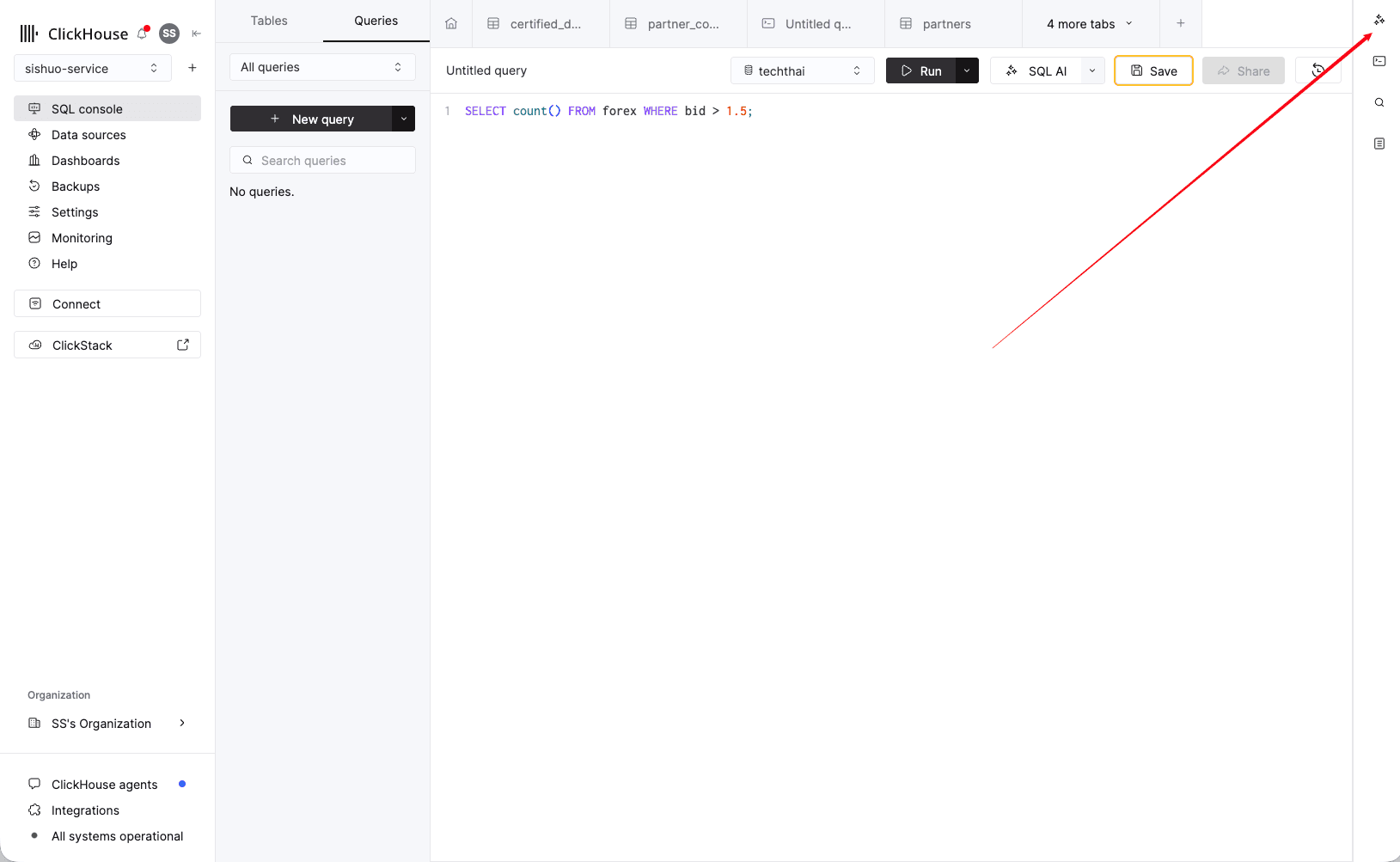
Open the SQL Console and click the sparkle icon in the top-right corner to open the Assistant. Your query stays in the editor while you chat.
-
Open the Assistant in the SQL Console.
-
Paste the non-optimized query from module 4.7:
SELECT count() FROM forex WHERE bid > 1.5; -
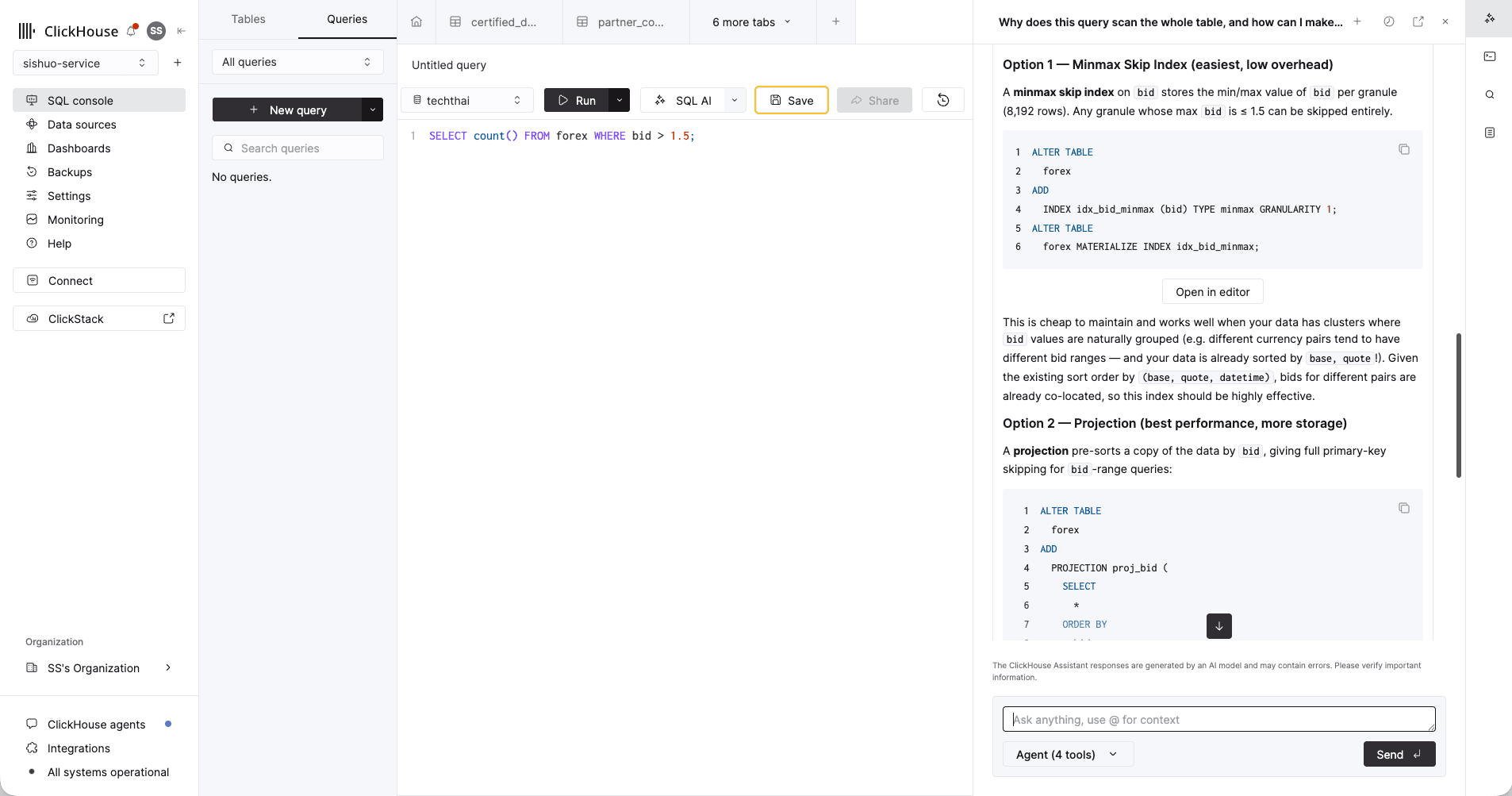
Ask it, in plain English: "Why does this query scan the whole table, and how can I make it faster?"
-
Read its answer — it diagnoses why the query scans everything (
bidisn't in the sort key), then proposes concrete ClickHouse fixes with ready-to-run SQL: a lightweight minmax skip index onbid, or a projection that keeps a copy of the data pre-sorted bybid.
What to notice
The Assistant explains that bid isn't in the sort key, so nothing can be pruned — then offers
ClickHouse-specific fixes, each with copy-paste ALTER TABLE SQL and an "Open in editor"
button. Not generic advice: it reaches for the exact features ClickHouse gives you.
04 Run the market queries
Seven queries against 26.5M ticks, each replacing a page of SQL: approximate counts, topK, OHLC candlesticks, percentiles, -If combinators, argMax, and the sort key finale.
06 Ask in plain English
Point ClickHouse Agents at the service you just loaded and ask questions in natural language — it writes the SQL, runs it, and draws the chart.