01 Establish the source baseline
Use MigrationRoom's first UI action to discover the live Databricks workload.
Outcome
The MigrationRoom conversation contains a source baseline for migration_demo.tpch:
table inventory, row counts, important types, Delta features, and the workload queries
that will drive the ClickHouse design.
Check the workload input
In Setup, select Edit · OLAP. Read the query pack before closing the editor. It
should include normal TPC-H joins plus queries that exercise VARIANT,
ARRAY<STRUCT>, MAP, QUALIFY, higher-order array functions, generated columns, and
the source materialized view. These are design inputs, not just benchmark samples.
Do not replace the pack with ClickHouse SQL yet. Step 1 needs the original Databricks
queries to choose target ORDER BY, partitioning, types, and codecs.
Fire Step 1
Click Discover & Design Schema. The dashboard injects the full source-specific prompt into the Databricks → ClickHouse Cloud conversation; you do not paste or run a discovery script.
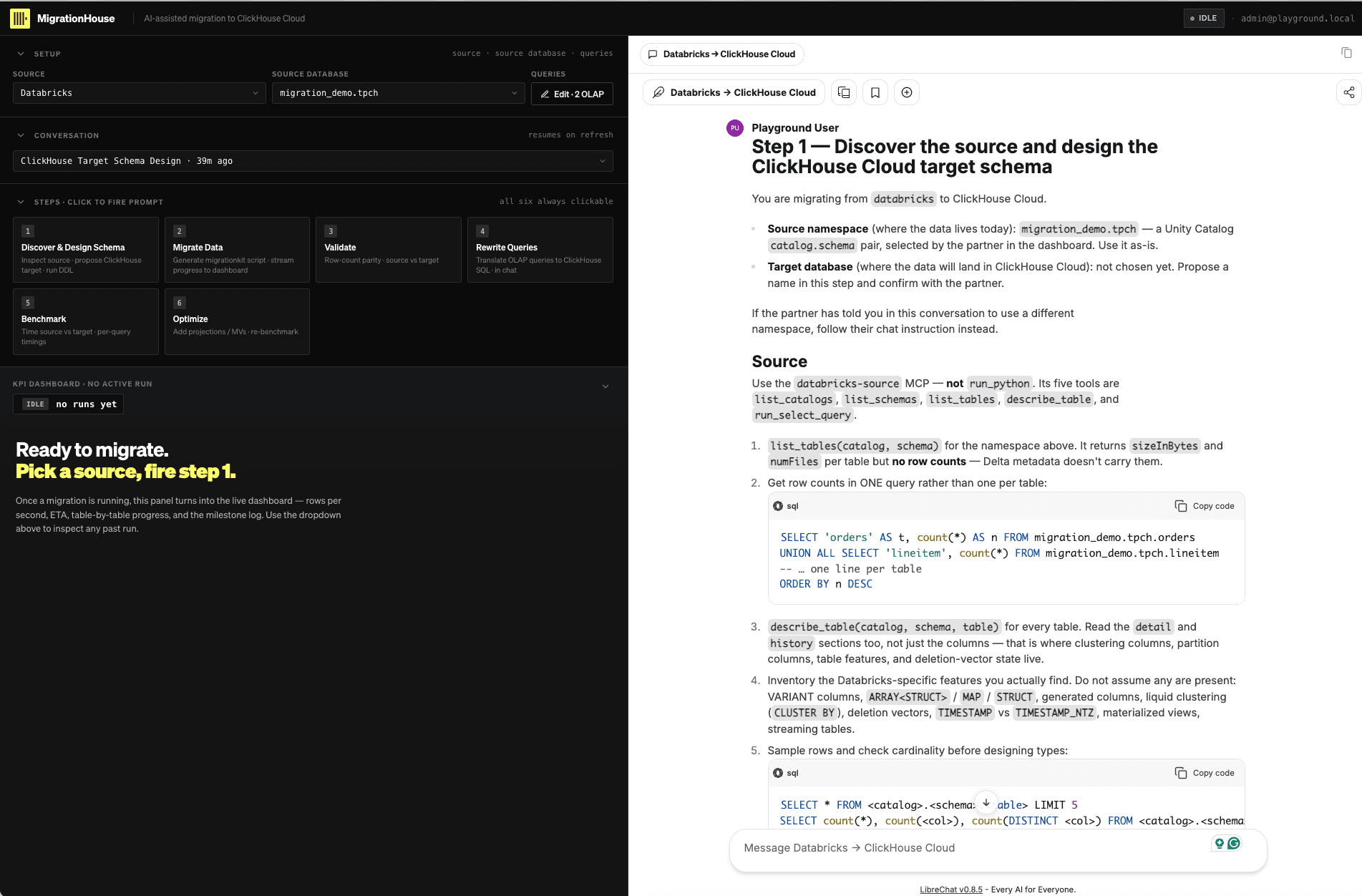
Expand the tool activity while the agent works. For source discovery, expect calls to
the databricks-source MCP such as list_tables, run_select_query, and
describe_table. The agent should not use an unrestricted Python session to inspect the
source.
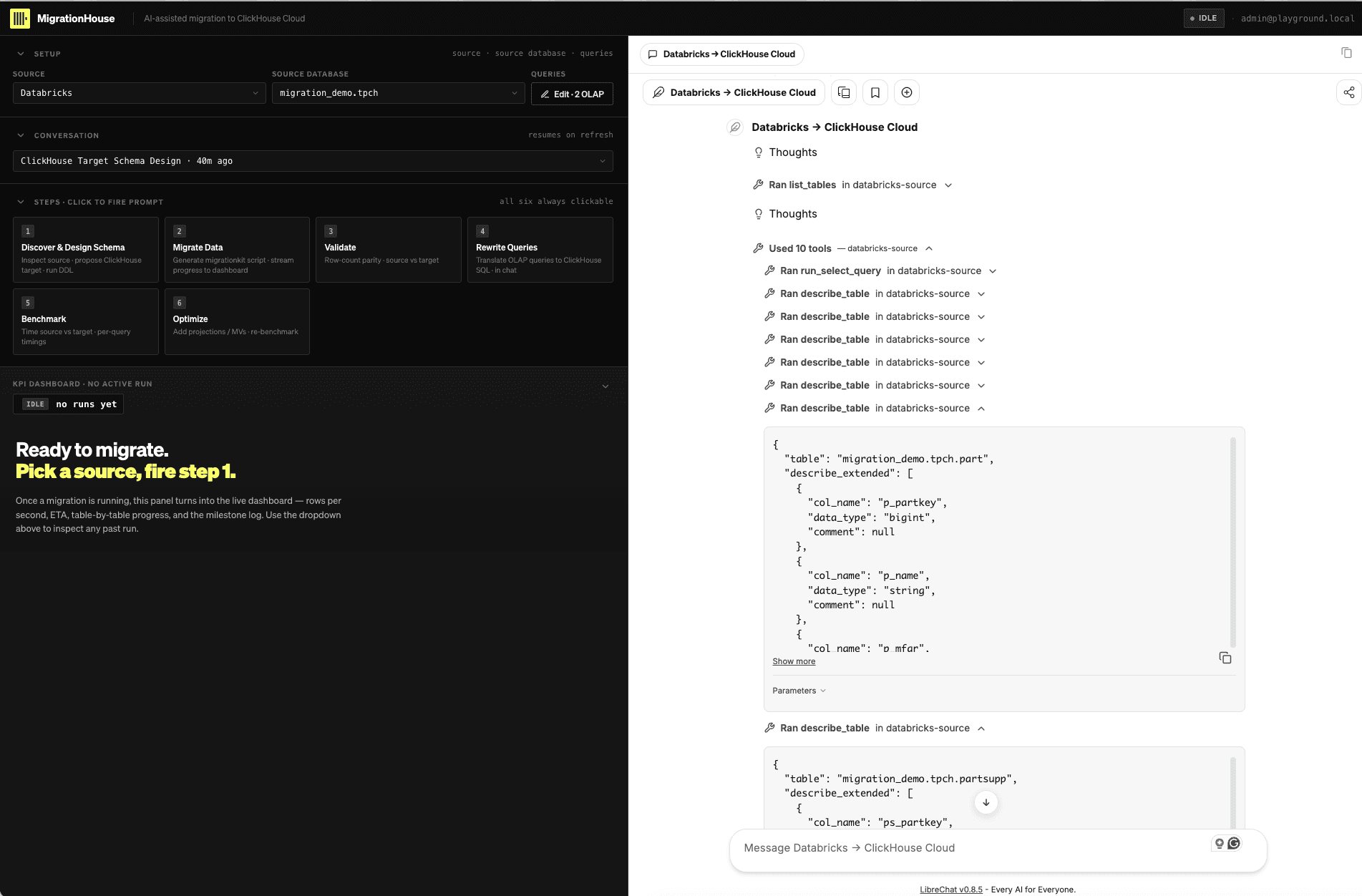
Review the source facts
Before discussing target DDL, find these facts in the agent's summary:
| Source fact | What to verify in chat |
|---|---|
| Table inventory | Eight TPC-H tables plus daily_order_summary when the serverless MV exists |
| Large facts | Approximately 6 million lineitem rows and 1.5 million orders rows |
| Semi-structured data | orders.o_metadata, lineitem.l_shipping_events, and lineitem.l_attributes |
| Time semantics | Both TIMESTAMP and TIMESTAMP_NTZ are distinguished |
| Physical features | Liquid clustering and deletion-vector state are reported from Delta detail/history |
| Derived objects | Generated column and materialized-view behavior are identified |
If a value is missing, ask the agent in the chat pane to retrieve it before proceeding. Do not silently substitute a remembered or sample value for a live observation.
Use the copy-link button in the chat header to retain the conversation as your source record. Stop when the agent transitions from source facts to the proposed ClickHouse schema; Module 02 reviews and approves that design.
- The original Databricks OLAP query pack was reviewed in the UI.
- Step 1 used the Databricks source MCP tools.
- Counts and Databricks-specific features are visible in the source summary.
- Missing facts were resolved in chat rather than with a separate Python script.
- The conversation link was retained without exposing a credential.
Continue to 02 Discover and design.