02 Review and approve the design
Challenge the agent's ClickHouse schema proposal in chat before approving DDL.
Outcome
MigrationRoom has created the target schema only after your pair reviewed the source facts, challenged a consequential choice, and explicitly approved the DDL in chat.
Read the discovery summary
Let Step 1 finish its source inventory and design proposal. The response should connect every target decision to a source feature or analytical query—not merely translate types one column at a time.
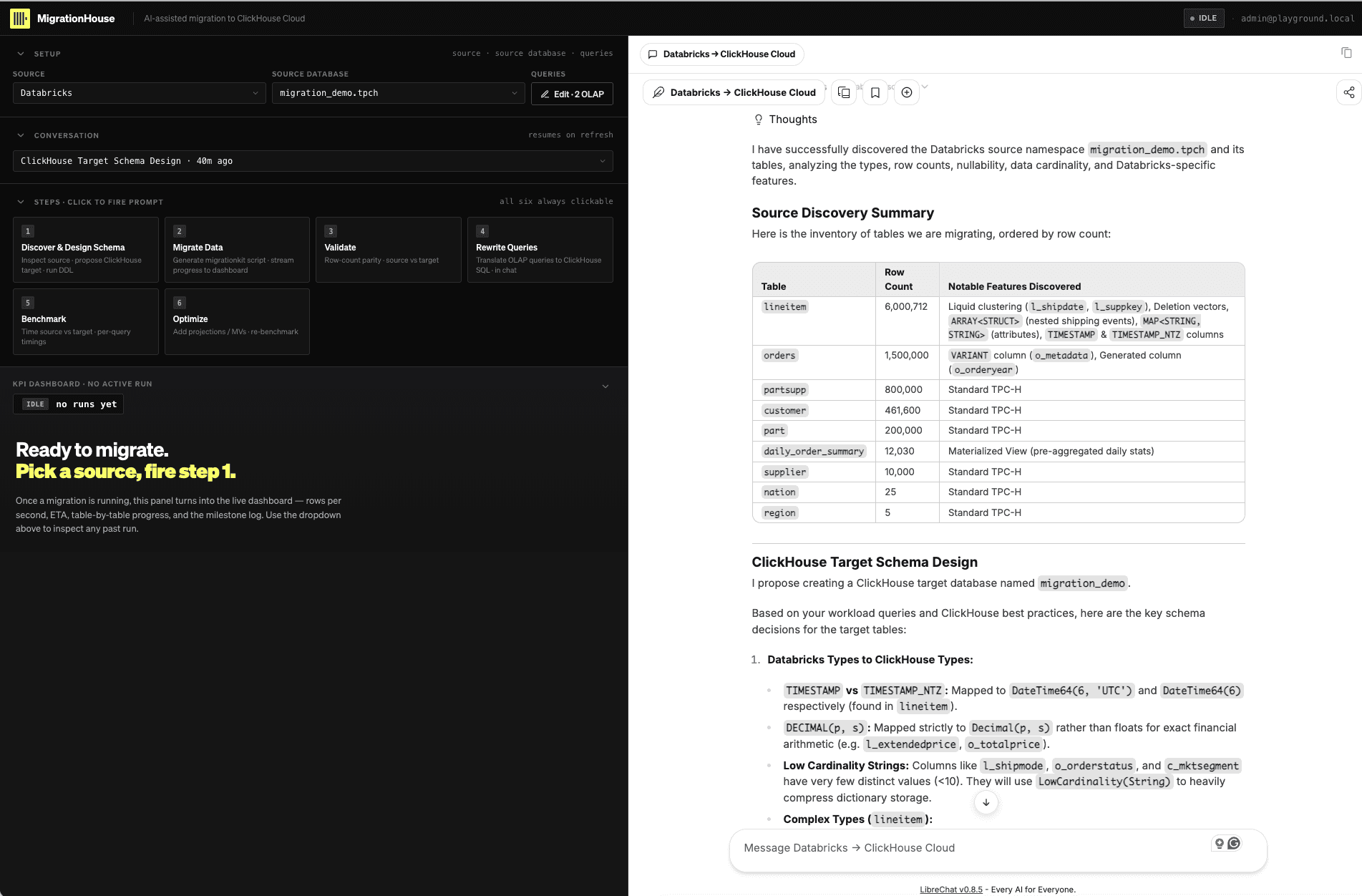
Review these decisions with your partner:
| Source feature | Decision to challenge |
|---|---|
Liquid clustering on lineitem | Is target ORDER BY derived from actual filters and cardinality rather than copied from CLUSTER BY? |
VARIANT order metadata | Are dynamic paths kept as JSON, with genuinely hot paths typed where useful? |
ARRAY<STRUCT> and MAP | Does Array(Tuple), Nested, or Map match the query semantics? |
DECIMAL(p,s) | Is exact money arithmetic preserved with Decimal rather than floating point? |
TIMESTAMP / TIMESTAMP_NTZ | Are timezone assumptions and microsecond precision explicit? |
| Generated column | Should the value be MATERIALIZED, ALIAS, or stored normally? |
| Deletion vectors / time travel | What target behavior replaces them, and what is deliberately not migrated? |
| Source materialized view | Does the ClickHouse MV design match the intended freshness and insert trigger? |
Per ClickHouse's schema-pk-plan-before-creation
guidance, the physical ORDER BY decision belongs before the load because changing it
later requires a new table and data movement. Use the workload's selective filters
first, then reason about cardinality ordering; do not optimize cardinality in isolation.
Challenge the proposal in chat
Ask at least one consequential follow-up. Copy this example into the chat pane:
Show the source cardinality and workload filters that justify the leading ORDER BY
columns on lineitem. If the current order is not the best fit, revise the DDL before
creating any table.
The response should show the observed cardinalities, connect them to the supplied workload, and revise the proposed key when the evidence calls for it.
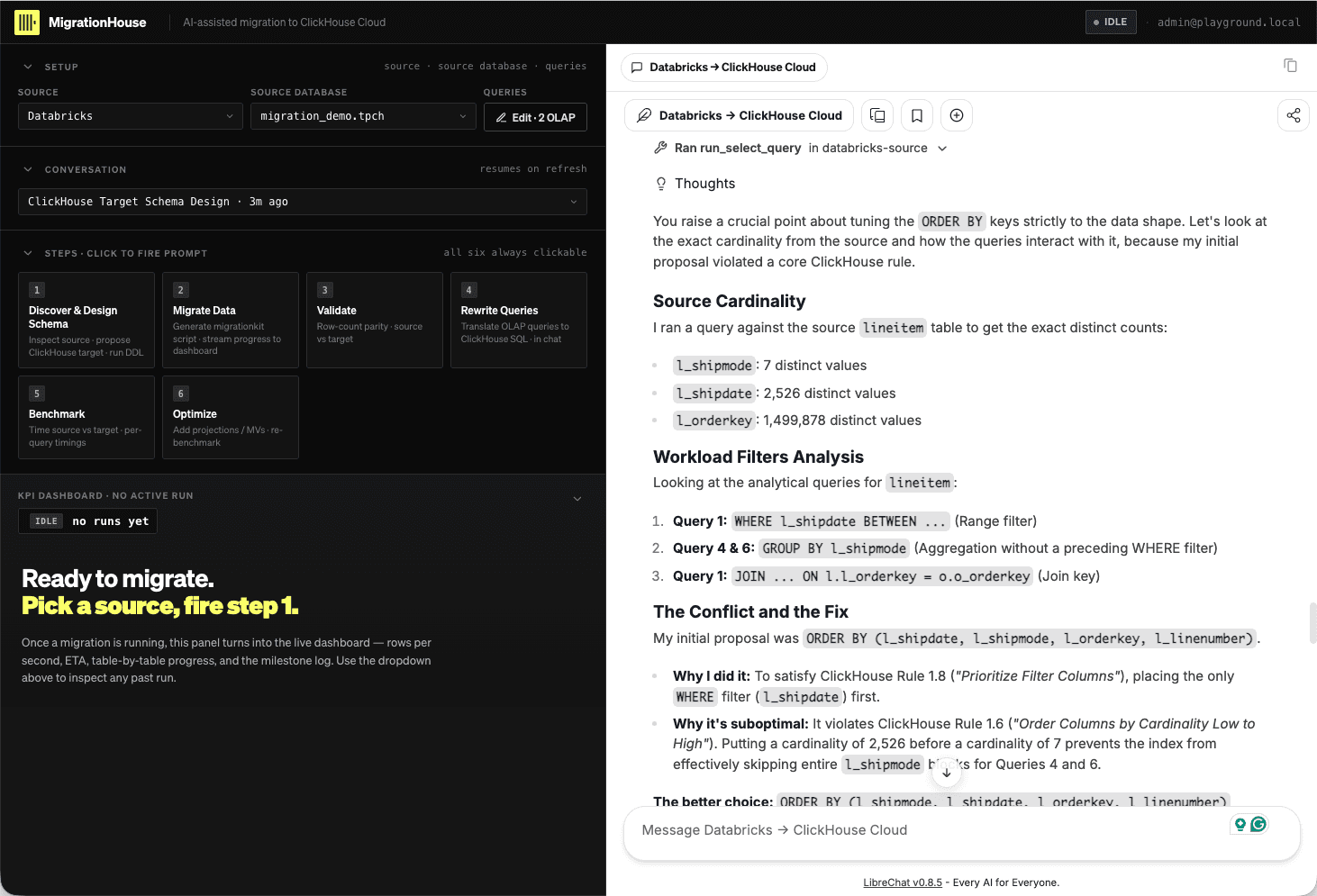
Good alternatives are to challenge a hot VARIANT extraction, the representation of
shipping events, generated-column persistence, or mutation semantics. Require the agent
to cite its live observation and the query it is optimizing.
Approve the DDL
Scroll through the complete target DDL. The agent pauses at a human approval gate and
asks whether the migration_demo database name and table schemas are acceptable.
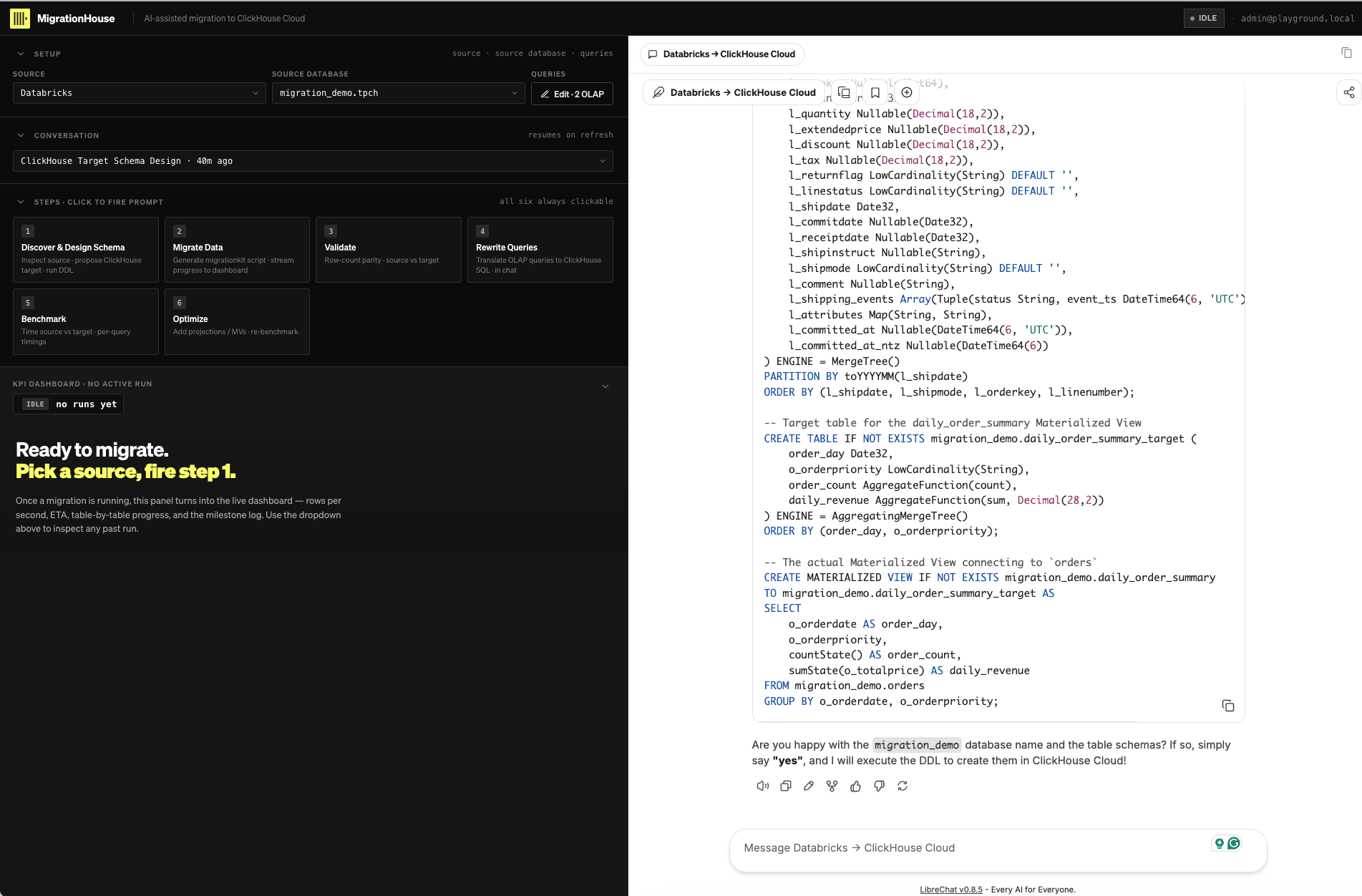
Respond yes only after any requested revision appears in the final DDL. The agent
then uses clickhousectl to create the database and tables and verifies them with
SHOW TABLES. If the proposal is not acceptable, describe the exact change; do not
approve first and repair the physical design after loading data.
Wait for the agent's migration summary. Confirm that it records the namespace mapping, type conversions, nullable handling, semi-structured-data choices, revised sort keys, and materialized-view design you approved.
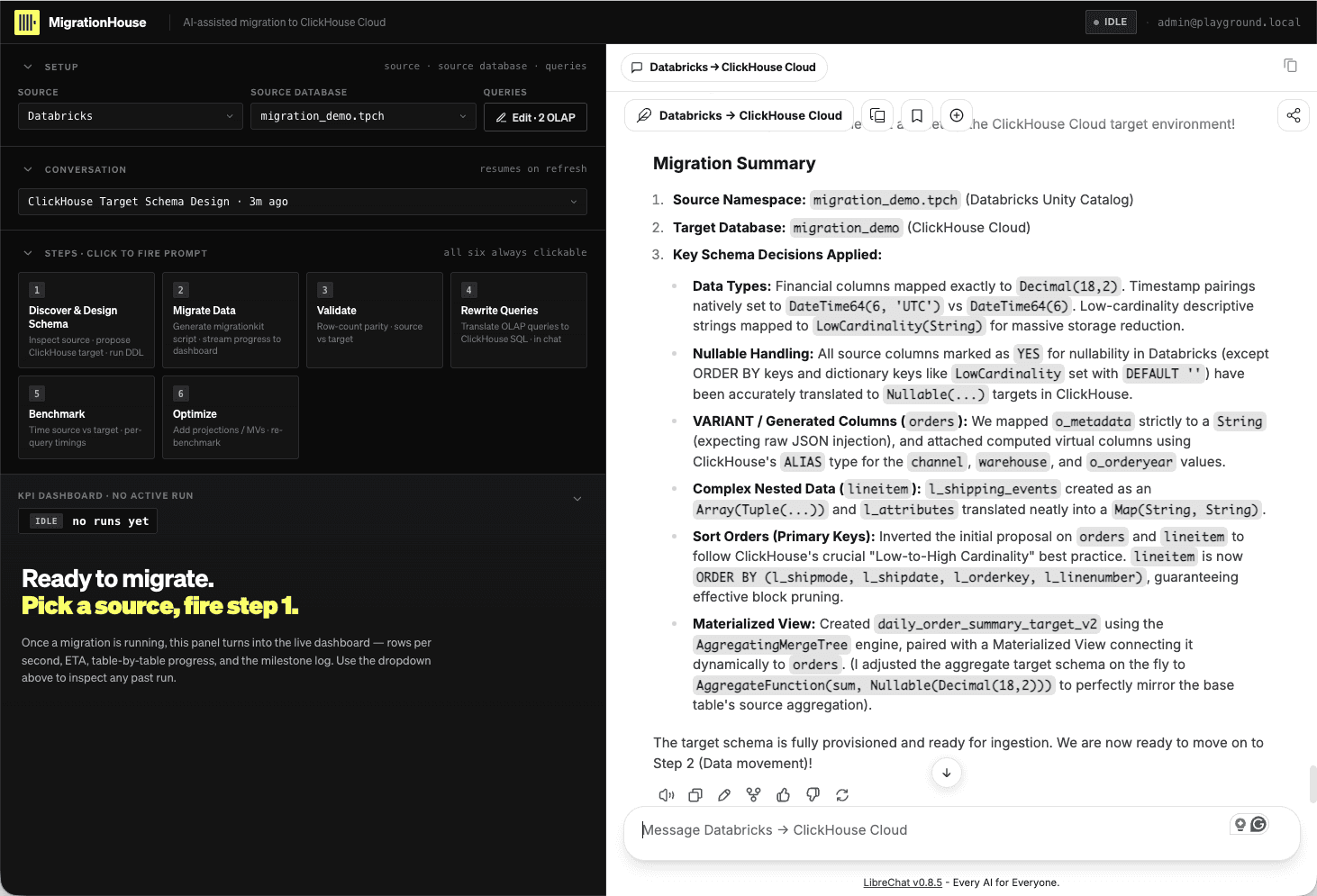
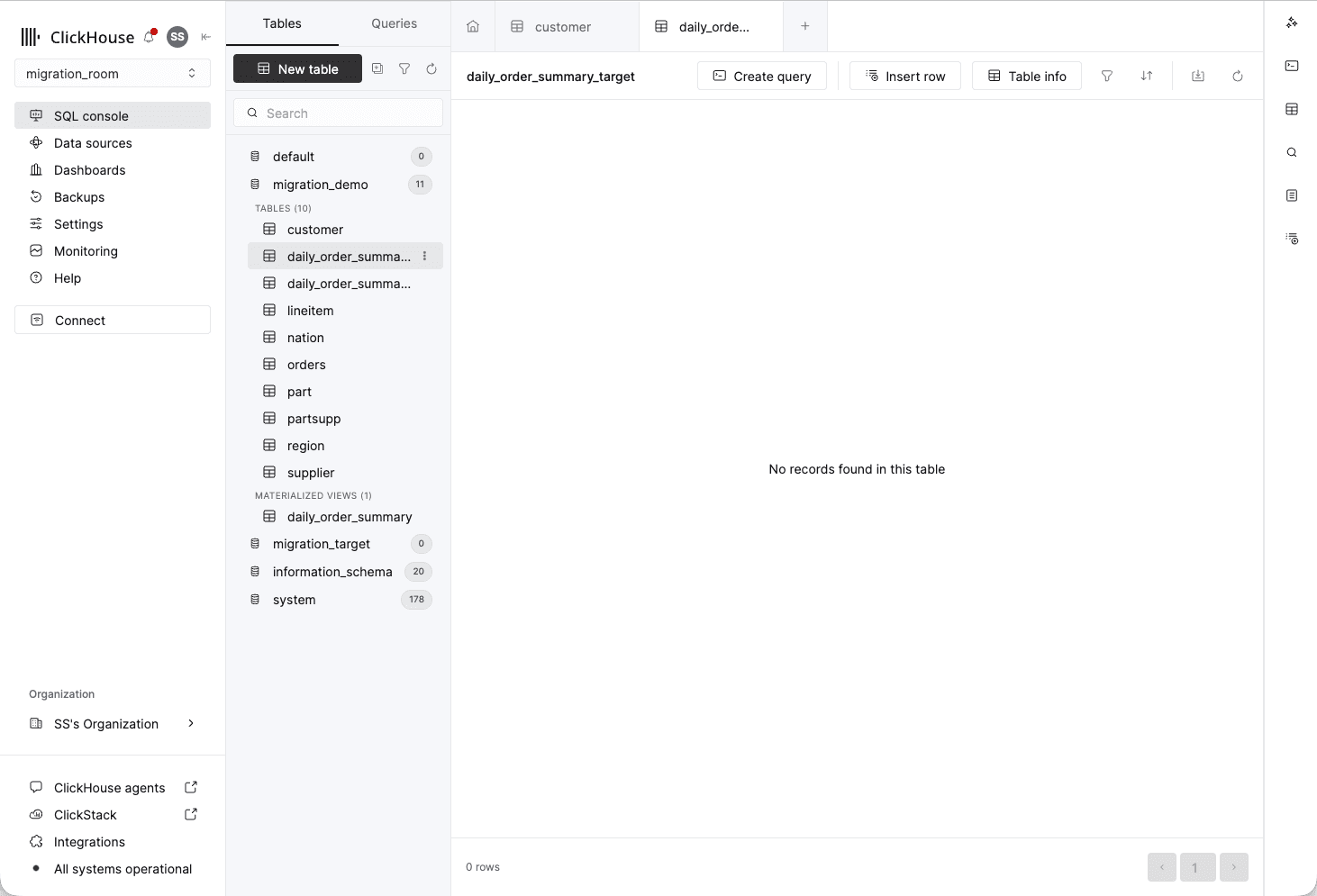
As an additional UI check, open the ClickHouse Cloud SQL console and select
migration_demo. The tables and materialized view should exist, while the tables remain
empty until you start Step 2.
Keep the conversation link and a screenshot of the approved summary as the design
record. The chat must state the chosen target database, important type mappings,
ORDER BY rationale, and any Databricks behavior intentionally not reproduced.
- Every source feature has an explicit target disposition.
-
ORDER BYreasoning comes from workload filters and cardinality. - One proposal was challenged with source/workload evidence.
- The final DDL reflects the disposition before approval.
-
SHOW TABLESconfirms the target schema exists before migration.
Continue to 03 Migrate, validate, and rewrite.